
LESCO Web Bill
Download the LESCO Bill app to check duplicate bills, save your reference numbers, and calculate electricity units offline.
Are you looking for a lesco bill app to download? You've come to the right place. By using the lesco bill app, you can check your bill in just a few clicks, and if you want to save your reference number or consumer number, simply enable the check box.
By saving your consumer id or reference number, you can access your bill next time with just one click. By downloading the app, you will be able to access the Lesco bill calculator offline as well.
Installing the LESCO Bill APK on your Android phone is simple and takes less than a minute. Follow these easy steps:
Click the Download App (APK) button on this page. The file lescobill.apk (292 KB) will start downloading immediately.
The download will appear as a notification on your device. To open it, click the notification or go to the download folder on your device.
If Android shows a security warning, tap settings and choose allow from this source or allow "Install Unknown Apps".
Tap Install. In a few seconds, the app will be ready. Open it, enter your reference number or consumer ID, check the save box, and enjoy one-click bill checks!
Here is a preview of the clean and simple interface of the LESCO Bill Check mobile application:
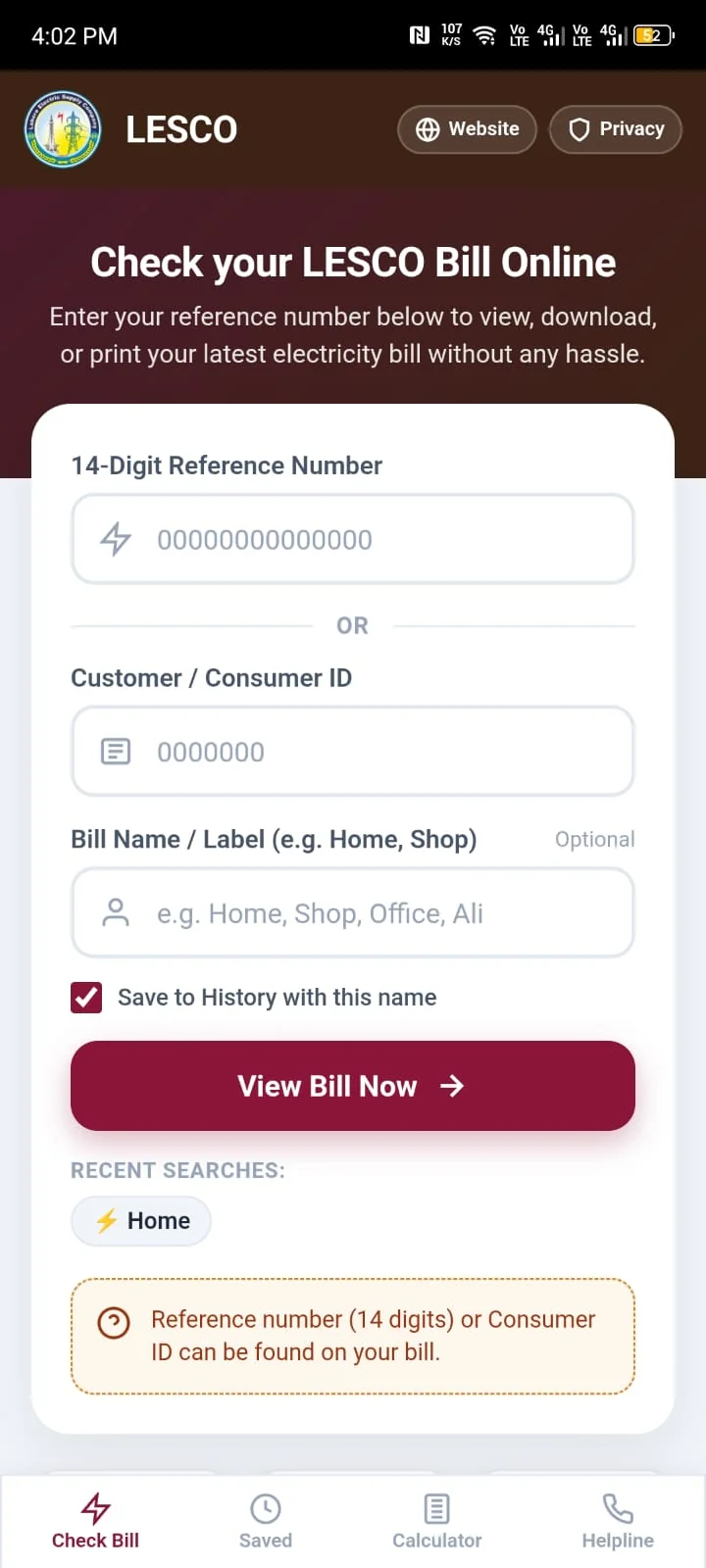
Enter your 14-digit reference number or consumer ID, save meters with custom labels (Home, Shop), and access recent searches with 1 click.
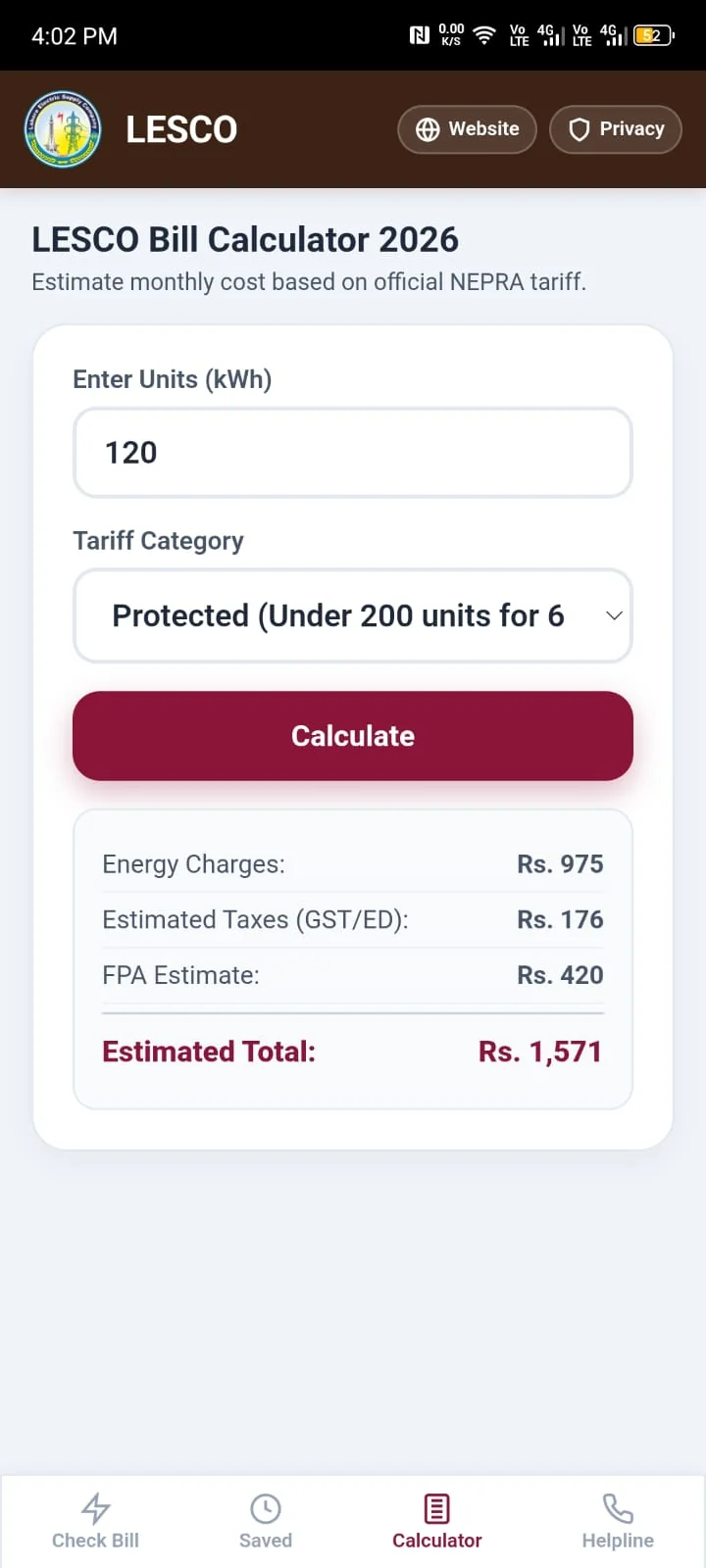
Calculate your estimated electricity bill according to consumed units, protected/non-protected tariff slabs, taxes, and FPA offline without internet.
Following are the top features of the LESCO Bill app that make checking and calculating your monthly electricity bill quick and easy:
Enter your 14-digit reference number or consumer ID to view, download, or print your latest LESCO duplicate bill right on your screen.
Enable the save checkbox so you don't have to enter the 14 digits every month. You can label each meter as "Home", "Shop", or "Office" and check your bill next time with just one click.
You can use the 2026 LESCO bill calculator even without internet or during load-shedding. Just enter your consumed units to calculate your estimated bill with taxes and slab rates.
View your full electricity bill with meter reading, consumed units, due date, and payable amount. You can easily download the duplicate bill as a PDF or print it directly from your phone.
Find important contact numbers easily, including the 118 complaint helpline, emergency breakdown centers, and local subdivision numbers right inside the app.
The app takes less than 300 KB of storage space, so it downloads and installs in just a few seconds. It does not slow down your phone and works smoothly on all Android versions from Android 5.0 to 14.
You can check your LESCO duplicate bill from both our website and our Android mobile app. If you use an Android phone, the app gives you extra convenience like saving your reference numbers and using the bill calculator offline without internet. Here is a direct comparison between the two:
| Feature |
Best for Mobile Users LESCO Bill Mobile App |
LESCO Website (Browser) |
|---|---|---|
| Access Speed & Convenience | Open with 1 tap from phone home screen | Must open browser and type website URL each time |
| Saved Reference / Consumer ID | Yes – Save multiple meters with names like Home, Shop | No – You must type 14 digits manually each time |
| 1-Click Bill Fetching | Yes – Tap your saved meter name to view bill instantly | No – Type number and press search each time |
| LESCO Bill Calculator | Works Offline (No internet needed) | Requires active internet connection |
| Internet Data Usage | Very low data usage (only loads bill data) | Loads full webpage on every visit (~1.5 MB) |
| Helplines & Emergency Dialing | Direct dial buttons for 118 and emergency helplines | Numbers shown as text (dial manually) |
| Duplicate Bill PDF Download & Print | View, download PDF, and print directly | Save as PDF or print via browser |
| Storage Space Required | Only 292 KB (very small size) | 0 MB (No installation needed) |
| Supported Devices | Android phones and tablets (5.0 and above) | All devices (PC, Laptop, iPhone, Android) |
If you check your electricity bill every month on an Android mobile, the app saves you from entering your 14-digit reference number every time. You can save multiple meters (Home, Shop, Office) and calculate your bill offline during load-shedding without internet.
If you are using a computer, laptop, or iPhone, or if you just want to check or print your duplicate bill once without installing an app, using the website is the best option.
| Specification | Details |
|---|---|
| Application Name | LESCO Bill Check Online |
| Package Name | pk.lescobill.app |
| Version | 3.2.0 (Latest 2026 Release) |
| File Size | 292 KB (0.28 MB) |
| Supported OS | Android 5.0 (Lollipop) and higher |
| Offline Capabilities | Offline Bill Calculator & Stored Search History |
| Cost / License | 100% Free • No In-App Purchases • No Ads |
Yes, the LESCO Bill app is completely free. There are no charges, fees, or ads.
Yes, the bill calculator is built directly into the app. Once downloaded, you can calculate your estimated monthly bill according to consumed units without needing an internet connection.
When entering your 14-digit reference number or consumer ID, simply tick the "Save to History" checkbox. You can also name it "Home" or "Shop". Next time you open the app, your meter will be saved and you can check your bill with one tap.
Yes, you can save multiple meters (like Home, Shop, or Office) and check any of them with one tap.
Yes, the APK is completely safe to install. It is verified, free of any harmful files or malware, and only uses internet permission to fetch your official LESCO bill.